
Player Warps
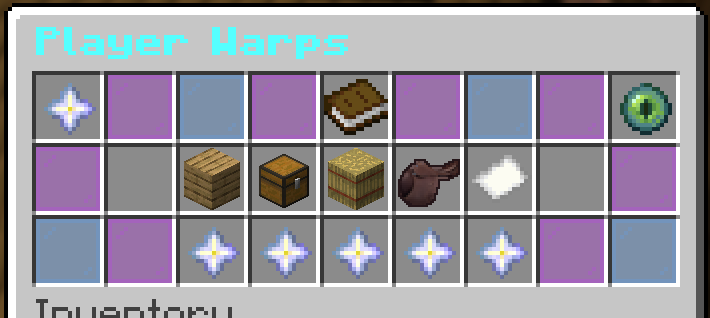
Player Warps are locations made by players of the server. The following commands will help orient yourself to the possibilities of these places. These help you customize/edit your /pwarp.
/pw (warp) and /pwarp (name) : type this to teleport to any playerwarp as long as you know the name.
/pw and /pwarp : Shows all of the pwarps made with ways to search both player usernames, pw names, and
sort via categories.
/pw help and /pwarp help : will bring up all the commands you could ever need

Basic /pw commands:
/pwarp set (name) and /pwarp create (name) : Sets a pwarp where you are standing for $12k. Rent of $12k
auto renews the /pw every six months as long as you log onto the server.
/pwarp reset (warp) : Moves the location of the /pwarp to where you are standing

/pwarp remove (warp name) : removes that warp
/pwarp removeall : removes all your warps
/pwarp setowner (warp) (player) : Transfers ownership to the player imputted
/pwarp lock (warp) : Makes it so only you can go to the /pwarp. Repeat the command to unlock it.

/pwarp desc set (warp name) (description here) : allows you to describe your /pw in a few words
/pwarp icon set (warp name) : hold the item while typing this command. Changes the icon in the /pwarp menu
/pwarp icon remove (warp name) : removes the icon in the /pwarp menu
/pwarp category (warp name) (category) : adds a category to the /pwarp in the menu. (Choices: Barns, Houses,
Riding, Shops, and Other (the default))
/pwarp rename (warp) (name) : Renames a /pwarp
Notes:
- You can have a maximum of 3 /pwarps
- /pwarps will cost 12k every 6 months per /pwarp. You must log online to be charged. This helps keep /pwarps relevant and keeps the menu nice and unclogged!
No comments to display
No comments to display