
Getting Your First Horse
Getting your first horse is one of the most important moments in your SMP journey.
On Pinecraft Equestrian, horses are part of ModN Equine. They are not normal Minecraft horses, and your first horse is created through the server's custom horse system.
Choosing Your First Horse at Pineton Stables
At the end of the SMP tutorial, you will visit Pineton Stables, where you get to choose your first horse.
You will be shown a breed selection menu. This menu lets you choose the breed of your first horse before it is created for you.
Choosing a Breed
From the breed selection menu, you can choose the breed of your first horse.
For your very first horse:
- only mountable breeds are available
- smaller miniature breeds unlock later, once you already own at least one horse you can ride
Once you choose a breed, your horse is created and spawned for you.
Your First Command
After receiving your horse, open the horse panel with one of the following:
/h
/h panel
/horse panel
This is the main place to view and manage your horse. You can spawn and despawn, breed, sell, bond, and customize your horse inside this menu.
To spawn your horse, go into /h panel. Click the saddle, the concrete block, and then the red concrete block at the top. Once it turns green, the horse will spawn in. It will despawn when you disconnect from the server. To keep a horse spawned in while you are offline, click the concrete again so it is yellow. When yellow, that horse is considered in "persistent spawn".
Training Your Horse
Horses can become faster and jump higher through training. In order to do so, hold a crop in your hand and mount your horse. Clicking the crop and smacking with the crop will affect its speed. As you gain experience, the values at the top of the screen will get higher. The crop is displayed below.

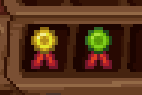
You can also use "speed boosts" and "jump boosts" to raise a horse's speed and jump values. These items are displayed below.
Feeding Your Horse
You can use many items to keep your horses full and happy. If a horse is set to persistent spawn, they will need fed once daily to stay out. You can use wheat, haybales, apples, golden apples, enchanted golden apples, carrots, golden carrots, and sugar to feed a horse. Any player can feed your horse.
Renaming Your Horse and Adding Other Players
To rename your horse, use the following command in chat.
/h rename (Name here)
/h rename (horse id) (Name here)
The first command must be used only when you are mounted on the horse.
The second command can be used anywhere. You can find a horse's id by shift clicking on them or by finding them in your /h panel.
/h add (horse id) (player username)To add a player to your horse, to the command above. The player does not have to be online to be added. This allows a player to ride and lead your horse. To allow a player to enter a race with your horse, you will need to navigate to /h panel and set the permission in that menu.
Bonding to Your Horse
Bonding to your horse consists of brushing and riding it to grow closer. As you grow closer, trails will be rewarded to make riding your horse more fashionable.
Getting a brush, you can click it on your horse to begin the process. It will give you instructions on how to proceed. You will need to ride the horse after and then brush them. You can do this three times a day.
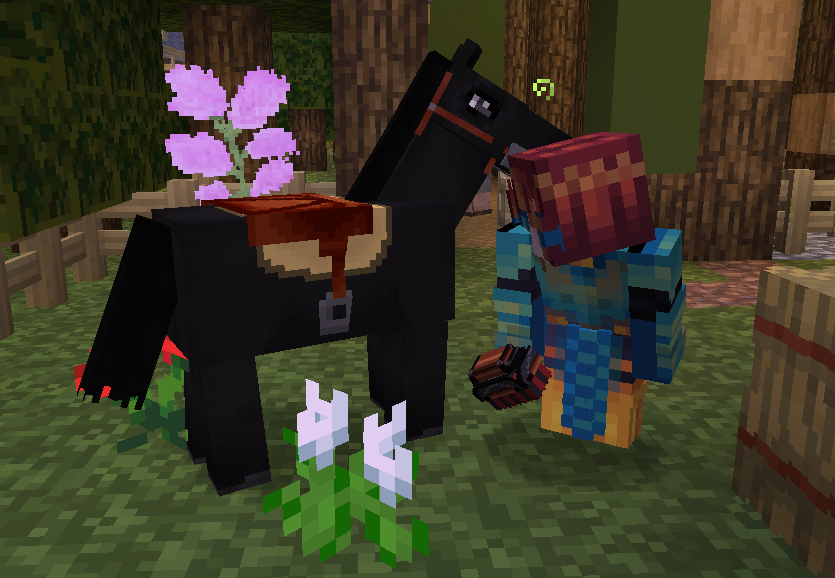
Above is a picture of a player named Lina brushing her favorite horse Beyond Belief!
No comments to display
No comments to display