
The /Horse Panel
The horse panel is the main menu for ModN Equine.
Open it with:
/h
/h panel
/horse panel
Main Panel
The main panel includes these main areas:
- My Horses (a saddle icon)
- Races (a clock icon; coming soon)
- Horse Market (an emerald icon)
- Command Help (a book and quill icon)
- Horse Guide (a book icon)
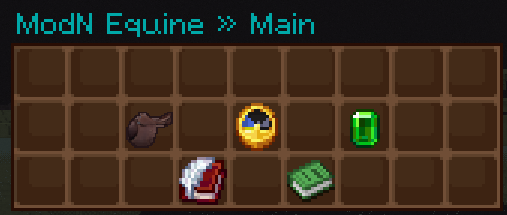
My Horses
Use My Horses to view and manage the horses in your stable.
This is where you can find your owned horses, check their details, and open each horse's management screen.
The horse list can be sorted in different ways, including by:
- ID
- stats
- breed
- height
- coat
Horse Details
Opening a horse from your "My Horses" section shows that horse's detail panel.
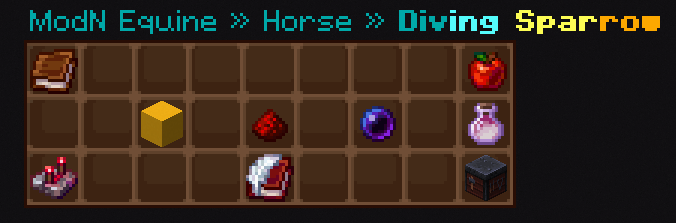
Depending on the horse, this panel may let you:
- view horse information (book icon)
- click on the book to buy a copy of the information for $10,000
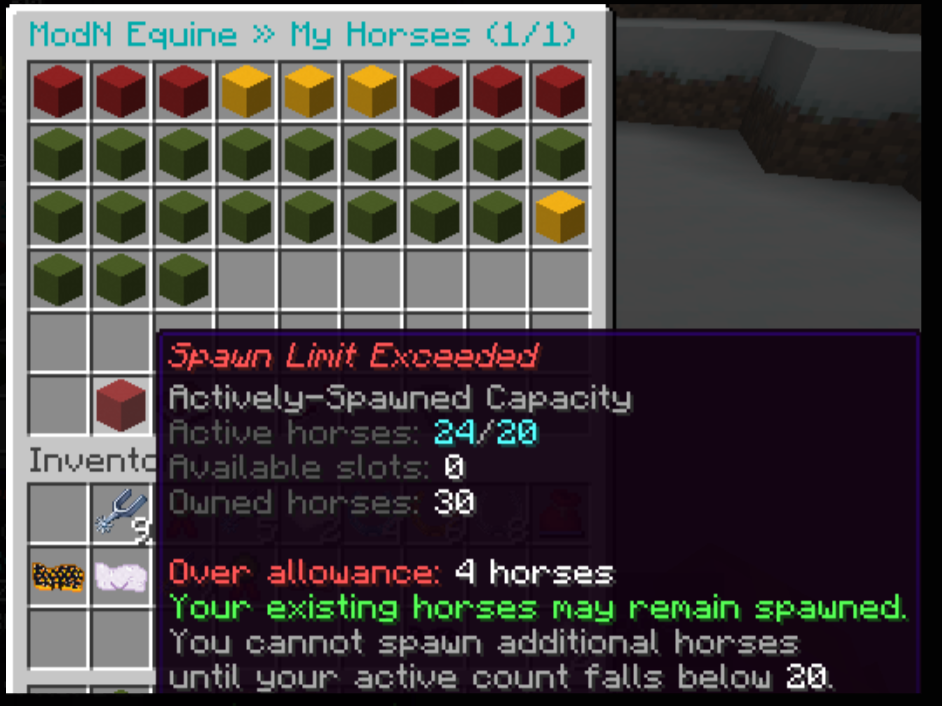
- spawn or despawn the horse and extend the spawn to persistent (concrete icon- red, yellow, green)
- open selling options (redstone icon)
- teleport to the horse (enderpearl icon)
- open breeding options (breeding potions icon)
- open bonding options (apple icon)
- open customisation options (smithing table icon)
- manage friend permissions (book and quill icon)
Spawn Controls
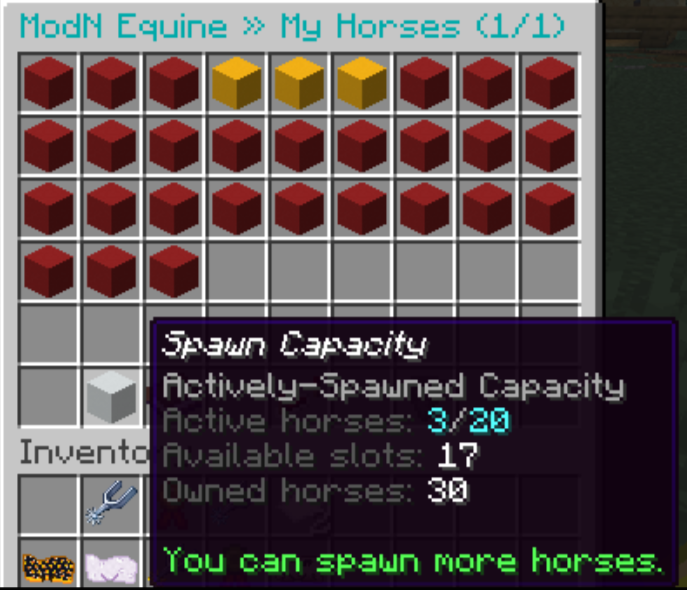
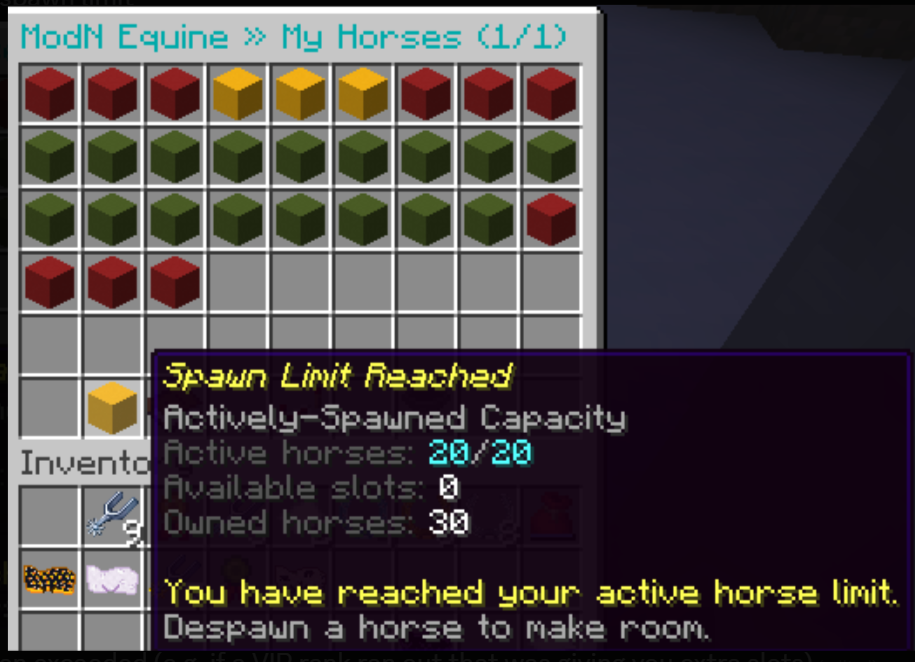
The horse detail panel lets you cycle through the horse's spawn state. Click their concrete to toggle this state.
The main states are:
- Despawned (Red Concrete)
- Spawned (Green Concrete)
- Persistent Spawn (Yellow Concrete)
A normal spawned horse is available in the world while the player is online.
A persistent-spawn horse stays spawned even when the player is online. It will need to be fed daily.
SPAWN CAPACITY: You can only have a certain amount of horses spawn at a time based on your rank. When actioning vips, you gain extra horse slots. You can view this information in your horse panel underneath your list of horses!
The concrete will change color based on how many horses you have. If it is red, this means you are over the limit, most likely from an expired vip.
Horse Market
The Horse Market lets players browse horses for sale or manage their own listings.
From the market you can:
- browse and sort public listings
- inspect listed horses
- tp to a listing to purchase the horse
- manage your own listings (including cancelling it)
If a horse is currently listed on the market, interacting with it in the world may will the market listing instead of letting you ride it.
Races
Races may have entry requirements such as:
- Speed XP
- Jump XP
- energy
- rank
- riding crop type
- race permission for the horse
Each race will list its requirements in chat. To race, you need to be mounted on the horse and holding a crop item while an upcoming race is open in chat. To join, type the following command.
/joinraceTo leave at the end of a race, dismount your horse.
Race warnings in chat look like the following picture, but may vary in color and instructions.

No comments to display
No comments to display